Nowadays it is rare to see a web page on which the body text occupies the full width of the browser window on large screens, because that would be too wide to read, and your eyes or head has to move across a large horizontal space.
However, sometimes we may wish to give an image more horizontal space when the original image is very wide. Our eyes parse images differently than text, and we may need more room to present more details in an image.
A couple of weeks ago, I saw a question on Stack Overflow. The OP asked how to allow plots to overhang the body text in R Markdown. You may see my answer there for details. The key is that you set the width of the plot to be wider than its container, and move it to the left for a proper distance so that it can be centered on the page, which corresponds to the two lines of CSS:
 width: 100vw;
 margin-left: calc(50% - 50vw);
This idea of “using a large width and moving the element to the left” can be applied to any HTML elements on any web page. For example, I’m showing a full-width image below (you have to view it in my post instead of from RSS readers or aggregators):
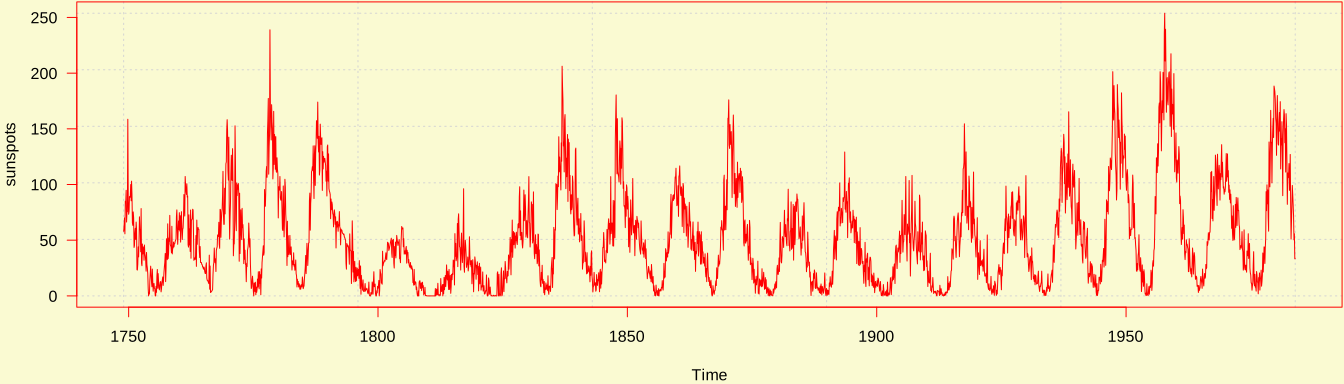
Although the idea is general, the implementation details can be different from
one page or website to another, because the position of the container of the
image can be different. The above two lines of CSS can be applied to the cases
in which the image container is centered on the page, which is true for the
html_document output format of R Markdown, but not true for my website here (I
have a sidebar), so actually I had to adjust the width and margin-left
values to take the width and left margin of the image container into
consideration.
I hope you will find this CSS trick useful. There are multiple ways to achieve the goal (e.g., CSS grid layout), but I have found this one particularly simple, relatively easy to understand, and independent with CSS frameworks, so I really love it myself.
Donate
As a freelancer (currently working as a contractor) and a dad of three kids, I truly appreciate your donation to support my writing and open-source software development! Your contribution helps me cope with financial uncertainty better, so I can spend more time on producing high-quality content and software. You can make a donation through methods below.
-
Venmo:
@yihui_xie, or Zelle:xie@yihui.name -
Paypal
-
If you have a Paypal account, you can follow the link https://paypal.me/YihuiXie or find me on Paypal via my email
xie@yihui.name. Please choose the payment type as “Family and Friends” (instead of “Goods and Services”) to avoid extra fees. -
If you don’t have Paypal, you may donate through this link via your debit or credit card. Paypal will charge a fee on my side.
-
-
Other ways:
WeChat Pay (微信支付:谢益辉) Alipay (支付宝:谢益辉) 

When sending money, please be sure to add a note “gift” or “donation” if possible, so it won’t be treated as my taxable income but a genuine gift. Needless to say, donation is completely voluntary and I appreciate any amount you can give.
Please feel free to email me if you prefer a different way to give. Thank you very much!
I’ll give back a significant portion of the donations to the open-source community and charities. For the record, I received about $30,000 in total (before tax) in 2024-25, and gave back about $15,000 (after tax).