Ted Laderas just discovered a surprising and probably also funny feature of xaringan slides: when you press m on a slide, the slide will be mirrored.
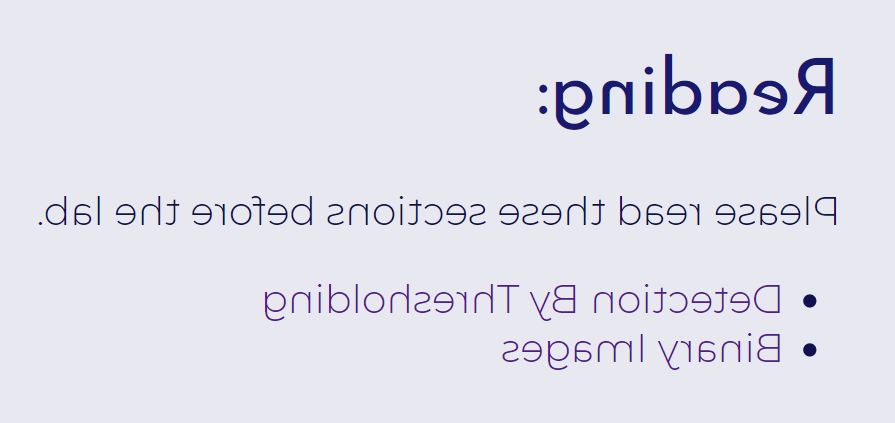
Ted was certainly not alone, as you can see from Alison’s reply. Alison also said:
I have never once used this feature on purpose.
The first time I saw this feature in the JS library remark.js (on which xaringan was built) in 2016, I imagined a possible scenario in which it might be useful. That is, when you let your students work on an exercise, you can freely show them the solution on the screen, but… with the solution slide in this mirrored mode. Students would struggle to decide if they should just work on the exercise or twist their neck in vain for the next few minutes.
I admit I’m evil.
Anyway, this reminded me of something in my childhood in the 90’s. At that time, films were rare in my village. Films were typically played once or twice in the summer evenings every year. They were projected to a screen (which was pretty much a large piece of white cloth tied to two bamboo poles) in a large open place, so lots of people could watch together. Sometimes it was so crowded in the front of the screen that I could barely see the screen because I was buried in the crowd as a little child. One day I figured out a solution, which was to go to the back side of the screen.
I didn’t need to read any characters on the screen, and usually there weren’t many characters to read in the films. It doesn’t really matter when pictures are mirrored—it was equally awesome no matter if Bruce Lee was kicking to the left or right.
The really nice thing on the other side of the screen was that I could enjoy a huge dedicated theater. I have never had such luxury again later in my life.
Nowadays there is no way that you could see anything from the back side of a screen. For most screens, perhaps you cannot even go to the back side because you’d just hit a wall. So I think it should be safe to present the mirrored solution slide to your students.

Donate
As a freelancer (currently working as a contractor) and a dad of three kids, I truly appreciate your donation to support my writing and open-source software development! Your contribution helps me cope with financial uncertainty better, so I can spend more time on producing high-quality content and software. You can make a donation through methods below.
-
Venmo:
@yihui_xie, or Zelle:xie@yihui.name -
Paypal
-
If you have a Paypal account, you can follow the link https://paypal.me/YihuiXie or find me on Paypal via my email
xie@yihui.name. Please choose the payment type as “Family and Friends” (instead of “Goods and Services”) to avoid extra fees. -
If you don’t have Paypal, you may donate through this link via your debit or credit card. Paypal will charge a fee on my side.
-
-
Other ways:
WeChat Pay (微信支付:谢益辉) Alipay (支付宝:谢益辉) 

When sending money, please be sure to add a note “gift” or “donation” if possible, so it won’t be treated as my taxable income but a genuine gift. Needless to say, donation is completely voluntary and I appreciate any amount you can give.
Please feel free to email me if you prefer a different way to give. Thank you very much!
I’ll give back a significant portion of the donations to the open-source community and charities. For the record, I received about $30,000 in total (before tax) in 2024-25, and gave back about $15,000 (after tax).