When we want to call external programs in R under Windows, we often need to know the paths of these programs. For instance, we may want to know where ImageMagick is installed, as we need the convert (convert.exe) utility to convert images to other formats, or where OpenBUGS is installed because we need this path to use the function bugs(). Usually this problem does not exist under Linux, because the executables (or their symbolic links) are often put in the directories which are in the environment variable PATH (e.g. /usr/bin, /usr/local/bin).
However, we may be able to find the paths through the registry if the installation will save the path info in the registry hive. The R function is readRegistry():
## ImageMagick:
## I used this trick in the function saveMovie (the animation package)
> readRegistry("SOFTWARE\\ImageMagick\\Current")
$BinPath
[1] "C:\\Program Files\\ImageMagick"
$CoderModulesPath
[1] "C:\\Program Files\\ImageMagick\\modules\\coders"
$ConfigurePath
[1] "C:\\Program Files\\ImageMagick\\config"
$FilterModulesPath
[1] "C:\\Program Files\\ImageMagick\\modules\\filters"
$LibPath
[1] "C:\\Program Files\\ImageMagick"
$QuantumDepth
[1] 16
$Version
[1] "6.3.8"

## OpenBUGS
> r = names(readRegistry("Software\\Microsoft\\Windows\\ShellNoRoam\\MUICache",
+    "HCU"))
> dirname(r[grep("OpenBUGS\\.exe", r)])
[1] "C:/Program Files/OpenBUGS"
There is no guarantee for this approach to work on any Windows platforms, but I think this is better than explaining what is the PATH variable to some Windows users…
Examples
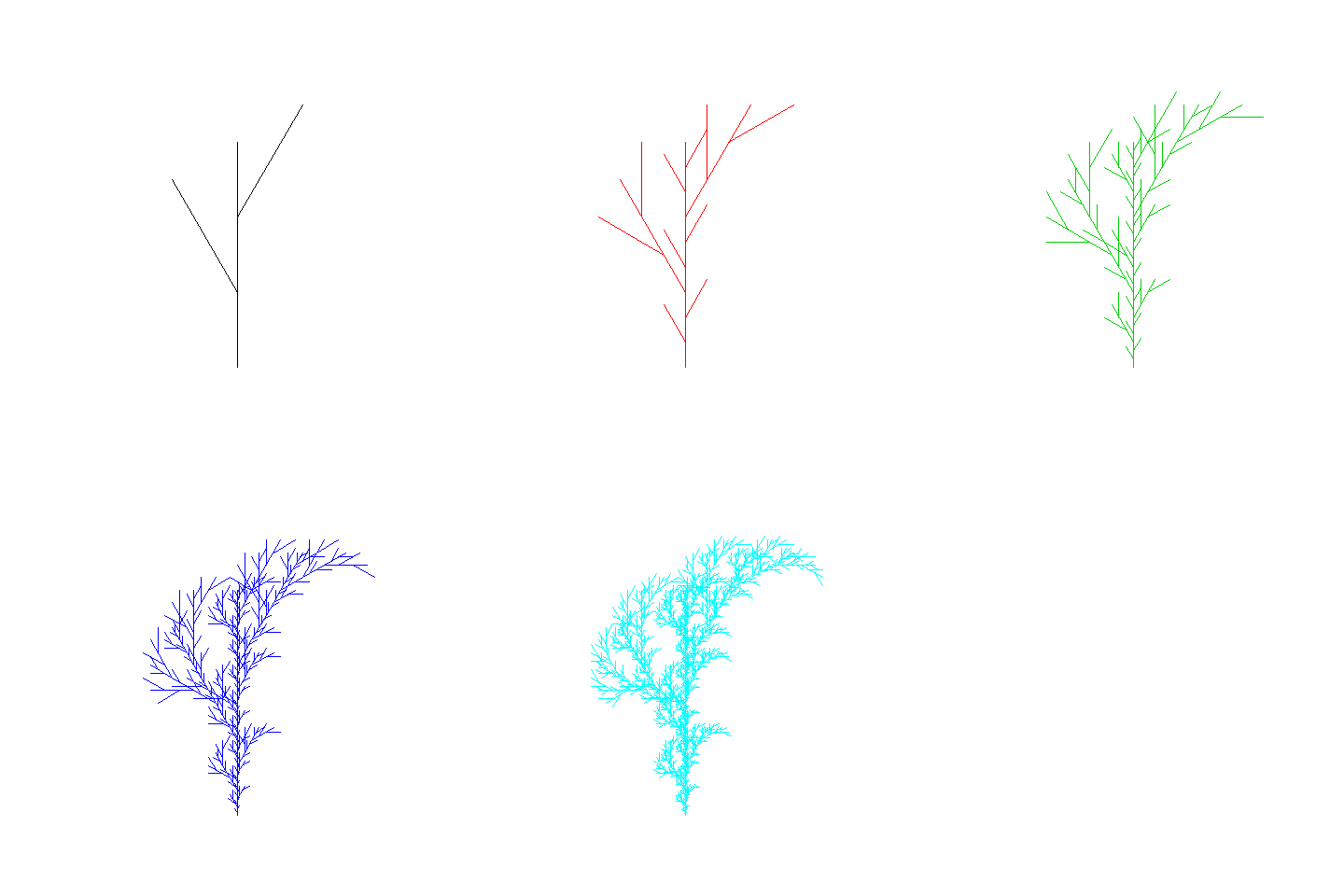
Here I show two examples for ImageMagick and OpenBUGS respectively. Make sure you are using Windows and have already installed ImageMagick and OpenBUGS. The first example shows how to find ImageMagick and call it to convert a sequence of images (generated by R) to a GIF animation:
## find the bin path of ImageMagick
magick.path = readRegistry("SOFTWARE\\ImageMagick\\Current")$BinPath

if (nzchar(magick.path) && require(animation)) {
    convert = shQuote(normalizePath(file.path(magick.path, "convert.exe")))

    ## record the demo 'recur.tree' in png images
    png("magickEx%d.png")
    demo(recur.tree)
    dev.off()

    ## call convert.exe to convert png images to GIF
    cmd = paste(sprintf("%s -delay", convert), 100, "-loop 0 magickEx*.png magickEx.gif")

    ## try to open the GIF animation
    if (system(cmd) == 0)
        shell.exec(file.path(getwd(), "magickEx.gif"))
}
You should be able to see the output as this:
OpenBUGS example:
r = names(readRegistry(
  "Software\\Microsoft\\Windows\\ShellNoRoam\\MUICache", "HCU"
))
bugsDIR = dirname(r[grep("OpenBUGS\\.exe", r)])
if (length(bugsDIR) == 1) {
    library(R2WinBUGS)
    library(BRugs)
    ## this example comes from ?bugs in R2WinBUGS
    model.file = system.file(package = "R2WinBUGS", "model",
        "schools.txt")
    data(schools)
    J = nrow(schools)
    y = schools$estimate
    sigma.y = schools$sd
    data = list("J", "y", "sigma.y")
    inits = function() {
        list(theta = rnorm(J, 0, 100), mu.theta = rnorm(1, 0,
            100), sigma.theta = runif(1, 0, 100))
    }
    parameters = c("theta", "mu.theta", "sigma.theta")
    schools.sim = bugs(data, inits, parameters, model.file,
        n.chains = 3, n.iter = 5000, bugs.directory = bugsDIR,
        program = "OpenBUGS")
    print(schools.sim)
    plot(schools.sim)
}
You might now be able to run the above examples in your Windows version, and I’ll appreciate feedbacks from Vista and Win7 users. If the above approaches do not work, you may run the command regedit (Start –> Run) and search for ImageMagick/OpenBUGS, then change my code accordingly, because the locations of the registry hive for ImageMagick/OpenBUGS may not be the same for different versions of Windows. My session info is as below:
> sessionInfo()
R version 2.10.1 (2009-12-14)
i386-pc-mingw32

locale:
[1] LC_COLLATE=Chinese_People's Republic of China.936  LC_CTYPE=Chinese_People's Republic of China.936
[3] LC_MONETARY=Chinese_People's Republic of China.936 LC_NUMERIC=C
[5] LC_TIME=Chinese_People's Republic of China.936

attached base packages:
[1] stats     graphics  grDevices utils     datasets  methods   base

other attached packages:
[1] BRugs_0.5-3          R2WinBUGS_2.1-16     coda_0.13-5          lattice_0.18-3
[5] formatR_0.1-1        gWidgetsRGtk2_0.0-64 gWidgets_0.0-40      animation_1.1-2
[9] MASS_7.3-5

loaded via a namespace (and not attached):
[1] grid_2.10.1   RGtk2_2.12.18 tools_2.10.1

> Sys.info()[1:3]
 sysname                      release                      version
 "Windows"                         "XP" "build 2600, Service Pack 3"
Donate
As a freelancer (currently working as a contractor) and a dad of three kids, I truly appreciate your donation to support my writing and open-source software development! Your contribution helps me cope with financial uncertainty better, so I can spend more time on producing high-quality content and software. You can make a donation through methods below.
-
Venmo:
@yihui_xie, or Zelle:xie@yihui.name -
Paypal
-
If you have a Paypal account, you can follow the link https://paypal.me/YihuiXie or find me on Paypal via my email
xie@yihui.name. Please choose the payment type as “Family and Friends” (instead of “Goods and Services”) to avoid extra fees. -
If you don’t have Paypal, you may donate through this link via your debit or credit card. Paypal will charge a fee on my side.
-
-
Other ways:
WeChat Pay (微信支付:谢益辉) Alipay (支付宝:谢益辉) 

When sending money, please be sure to add a note “gift” or “donation” if possible, so it won’t be treated as my taxable income but a genuine gift. Needless to say, donation is completely voluntary and I appreciate any amount you can give.
Please feel free to email me if you prefer a different way to give. Thank you very much!
I’ll give back a significant portion of the donations to the open-source community and charities. For the record, I received about $30,000 in total (before tax) in 2024-25, and gave back about $15,000 (after tax).